Setting Up Spotify Adblock on Fedora 42 Workstation
How to install spotify-adblock on Fedora 42 using Local Package Factory (LPF) for an ad-free Spotify experience.
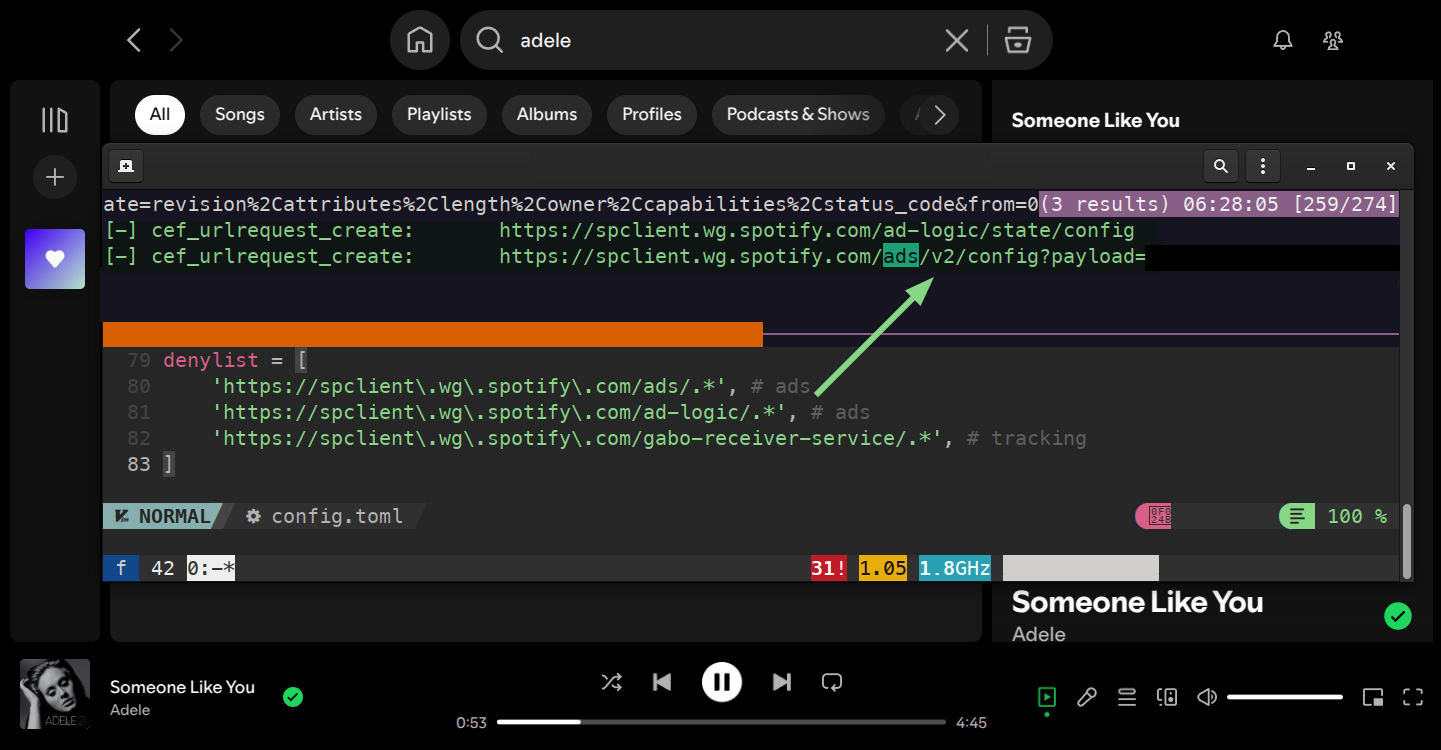
Block Spotify ads whilst keeping the full official desktop client experience. This guide shows how to install spotify-adblock with the official Spotify client via RPM on Fedora 42.
Educational Use: This guide is for educational purposes. Consider supporting artists through Spotify Premium.
Quick Installation Steps
1
2
3
4
5
6
7
8
9
10
11
12
13
14
15
16
17
18
19
20
21
22
23
# 1. Install build dependencies
sudo dnf install git make rust cargo

# 2. Build spotify-adblock
git clone https://github.com/abba23/spotify-adblock.git
cd spotify-adblock
make
sudo make install

# 3. Set up RPM Fusion repositories
sudo dnf install https://mirrors.rpmfusion.org/free/fedora/rpmfusion-free-release-$(rpm -E %fedora).noarch.rpm https://mirrors.rpmfusion.org/nonfree/fedora/rpmfusion-nonfree-release-$(rpm -E %fedora).noarch.rpm

# 4. Install LPF and Spotify package
sudo dnf install lpf lpf-spotify-client

# 5. Build Spotify using LPF (opens GUI)
lpf update

# 6. Configure Spotify to preload adblock library at runtime
sudo sed -i 's|LD_LIBRARY_PATH=\$( dirname \$spotify ) LC_NUMERIC=en_US.utf8 \$spotify \$@|LD_LIBRARY_PATH=$( dirname $spotify ) LC_NUMERIC=en_US.utf8 LD_PRELOAD=/usr/local/lib/spotify-adblock.so $spotify $@|' /usr/bin/spotify

# 7. Test the installation
spotify
Detailed Explanation
The Core Components
spotify-adblock: Uses LD_PRELOAD to block advertisement requests by hooking DNS resolution (getaddrinfo) and HTTP requests (cef_urlrequest_create) using allowlist/denylist patterns.
Local Package Factory (LPF): Fedora’s solution for building packages from proprietary sources that cannot be redistributed directly due to licensing restrictions.
Why LPF Over Alternative Methods
Most distributions package Spotify as sandboxed Flatpaks or Snaps, which run in isolated containers with restricted filesystem access. Installing Spotify as a native RPM package enables full access to system libraries by default, simplifying the process of injecting our ad-blocking library at runtime using LD_PRELOAD.
Since Spotify doesn’t distribute official RPMs, we use lpf-spotify-client to build them locally on your machine. This tool replaces the unmaintained spotify-make project and features:
- Local RPM building of the official Spotify client
- System integration with proper desktop files
- Update management through
lpf update - Active maintenance from RPM Fusion
Step 5 Breakdown
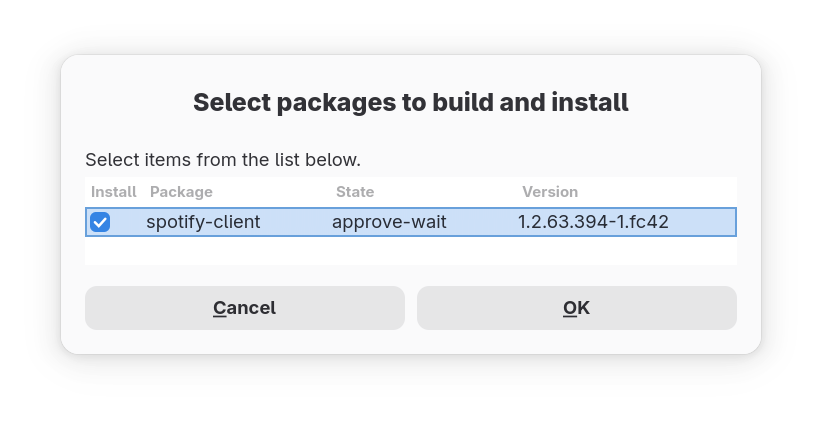
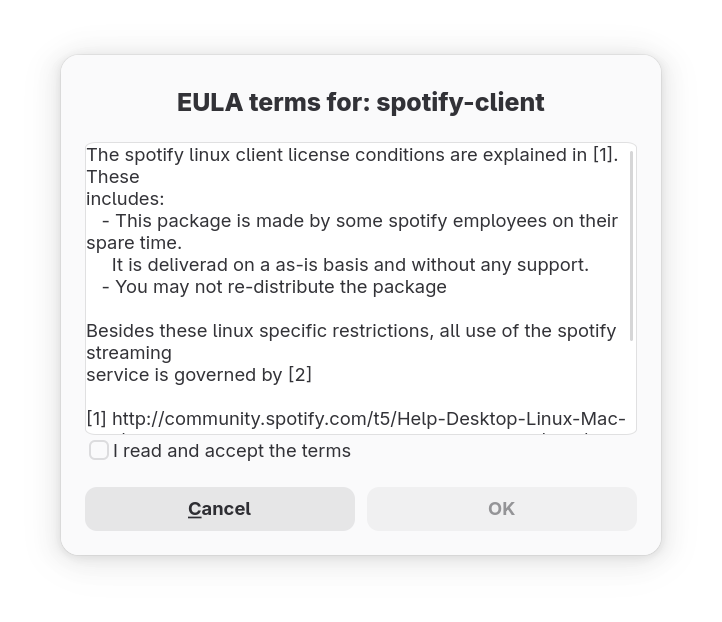
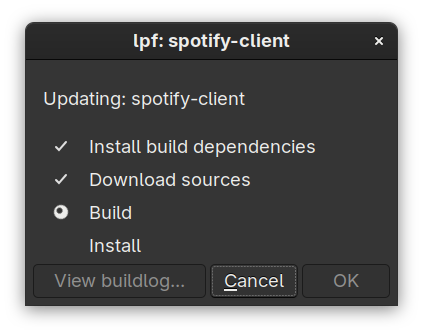
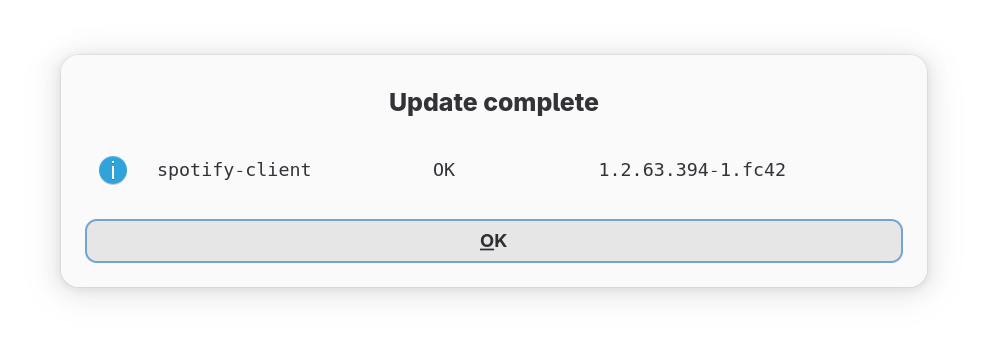
The LPF update process involves several GUI prompts:
Select Package: Choose spotify-client from the available updates
Accept EULA: Review and accept the package’s EULA
Build Process: LPF downloads sources and builds the RPM
Install Confirmation: Approve the installation of the built package
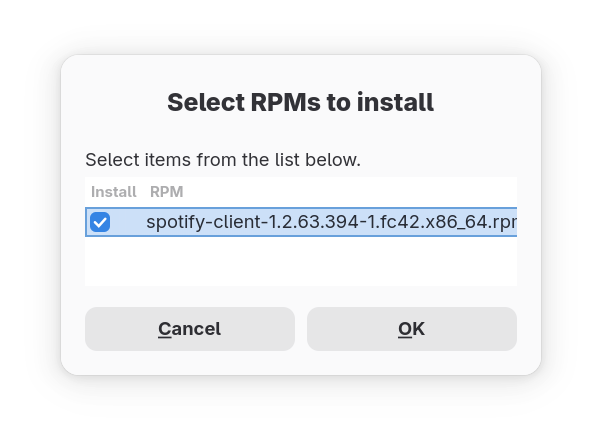
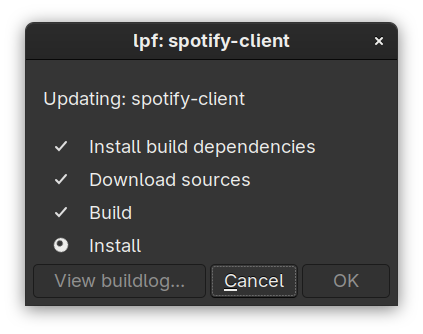
Completion: Spotify is now installed and ready for patching
Step 6 Breakdown
The sed command modifies /usr/bin/spotify1 to preload the ad-blocking library:
1
2
3
4
5
# Before:
LD_LIBRARY_PATH=$( dirname $spotify ) LC_NUMERIC=en_US.utf8 $spotify $@

# After:
LD_LIBRARY_PATH=$( dirname $spotify ) LC_NUMERIC=en_US.utf8 LD_PRELOAD=/usr/local/lib/spotify-adblock.so $spotify $@
This tells the dynamic linker to load our ad-blocking library before Spotify’s standard libraries, blocking ads whilst preserving all other client functionality.
Verification / Troubleshooting
Test the installation:
1
2
3
4
5
6
7
# Verify components are in place
which spotify                                    # Should return: /usr/bin/spotify
ls -la /usr/local/lib/spotify-adblock.so        # Should show the library file
cat /usr/bin/spotify | grep LD_PRELOAD          # Should show our modification

# Test functionality
spotify
Expected output when working:
1
2
[*] Config file: /etc/spotify-adblock/config.toml
[+] cef_urlrequest_create: ...
If ads still play:
- Restart Spotify completely
- Check the LD_PRELOAD modification is present
Configuration Options
Advanced users can customise filtering behaviour in /etc/spotify-adblock/config.toml:
1
2
3
4
5
6
7
8
9
10
11
12
13
14
# Allow these domains/URLs (regex patterns)
allowlist = [
    'localhost',
    'audio-sp-.*\.pscdn\.co',  # audio streams
    'api\.spotify\.com',       # client APIs
    # ... more patterns
]

# Block these domains/URLs (regex patterns)
denylist = [
    'https://spclient\.wg\.spotify\.com/ads/.*',        # ads
    'https://spclient\.wg\.spotify\.com/ad-logic/.*',   # ads
    'https://spclient\.wg\.spotify\.com/gabo-receiver-service/.*', # tracking
]
Updating Components
Updating spotify-adblock
1
2
3
4
5
6
# Update spotify-adblock source code
cd spotify-adblock
git pull

# Build and install the latest version
make clean && make && sudo make install
Updating Spotify
1
2
3
4
5
6
7
8
# Update lpf and lpf-spotify-client
dnf update

# Rebuild Spotify. This will overwrite our LD_PRELOAD modification
lpf update

# Reapply LD_PRELOAD modification to Spotify launcher script
sudo sed -i 's|LD_LIBRARY_PATH=\$( dirname \$spotify ) LC_NUMERIC=en_US.utf8 \$spotify \$@|LD_LIBRARY_PATH=$( dirname $spotify ) LC_NUMERIC=en_US.utf8 LD_PRELOAD=/usr/local/lib/spotify-adblock.so $spotify $@|' /usr/bin/spotify
Understanding the Legal Context
According to the lpf-spotify-client EULA, users must:
- Accept Spotify’s Terms of Service during installation
- Understand that modifications may violate Spotify’s ToS
- Consider supporting artists through legitimate means
The LPF approach ensures compliance with distribution restrictions whilst providing a clean installation method.
Conclusion
This setup provides ad-free Spotify playback whilst maintaining the full feature set of the official desktop client.
Remember: Supporting artists through streaming royalties, merchandise, or concert attendance helps sustain the music ecosystem.
References
Footnotes
/usr/bin/spotifyis a launcher script that calls the actual Spotify binary. ↩︎